For marketing teams
Gate a guide. Every reader becomes a lead.
Put a name and email in front of your guides, briefs and brochures, add Book a demo and Start free trial, and send each lead to n8n, Instantly or your CRM the moment they open it.
Free to self-host · Your Vercel, your database · No per-seat pricing
How it works
One link per channel.
Upload the guide once and make a link for each place you share it: LinkedIn, the newsletter, your website. Each visit shows the link it came through.
One guide with three links, for LinkedIn, the newsletter and the website, each asking for an email and a name.
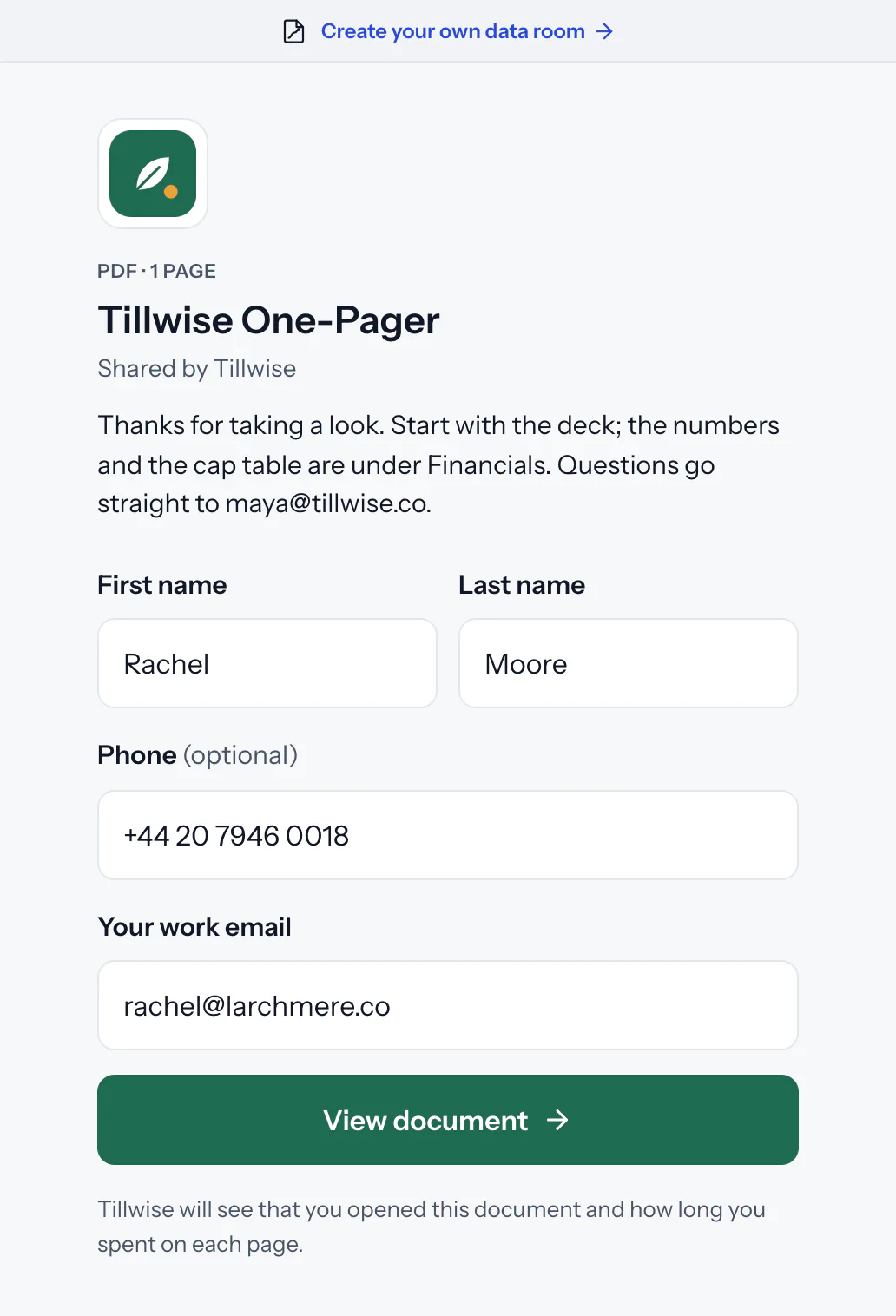
Ask for a name and email.
The reader types their name and email, then the guide opens. Use Email rather than Verified for public posts: there is no code to wait for and no hourly cap. Book a demo and Start free trial sit at the top of every page.
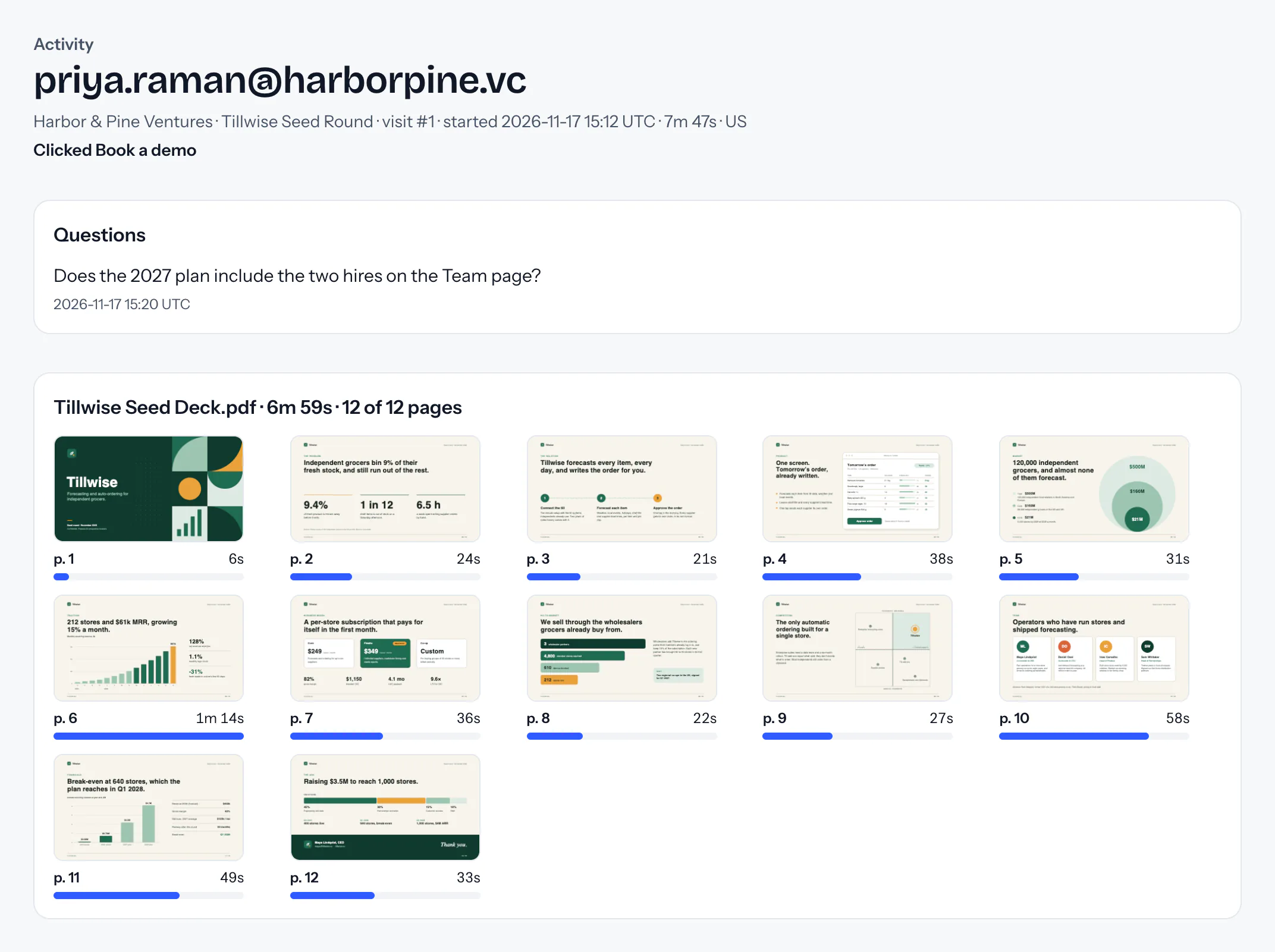
Leads flow on their own.
The email reaches n8n as it is entered, then the pages read and the buttons clicked when the visit ends. From there it goes to Instantly, your CRM or team chat.
How DogBase does it
DogBase moved its marketing PDFs from DocSend to Pagetrail: a sales brochure, audience briefs, guides and a product deck.
Each PDF has a link named Marketing. It asks for a name and email, and shows two buttons: Book a demo and Start free trial.
Every view and click goes to n8n, which posts it to the team's Google Chat and adds the reader to Instantly.
DogBase's documents in Pagetrail: a sales brochure, audience briefs, guides and a product deck, each shared through a link named Marketing.
The Marketing link's settings: access by email, a required name, and two buttons for the reader, Book a demo and Start free trial.
Each view and click goes from Pagetrail to n8n, which posts it to Google Chat and adds the reader to Instantly.
What you'll use
- Email gate
- readers enter an email before the guide opens.
- Name and phone
- first and last name and a phone number, each off, optional or required.
- Viewer buttons
- up to two, such as Book a demo and Start free trial, in the viewer and on the last page.
- One link per channel
- each visit shows the link it came through.
- Time per page
- which pages each lead read, and for how long.
- Button clicks
- who clicked Book a demo, on each visit.
- Signed webhooks
- every email, click and visit summary, retried for up to 12 hours.
- n8n
- into Instantly, your CRM or team chat, with no Zapier in between.
Questions
- Should a public guide use Email or Verified?
- Email. Readers type an email and the guide opens. Verified sends a 6-digit code first and allows 30 codes an hour per link, which suits a deal room more than a post seen by thousands.
- Is there a consent checkbox?
- Not yet; it's on the roadmap. In the EU, get explicit opt-in before you add leads to marketing email.
- Can I export the leads?
- Not as a file yet. A webhook sends each lead the moment they enter their email, so your CRM or a sheet fed by n8n holds the list.
- Does it work with HubSpot, Instantly or my CRM?
- Yes, through n8n or any tool that accepts a webhook. Each event is a signed JSON request with the reader's name, email and phone, and the link they came through.
Hear when hosted Pagetrail opens.
A confirmation now, then one email when the hosted version opens and one when the code goes public.